How to Enjoy Travel Without Mobile Data
Planning a Trip Without Constant Connectivity
For many travelers, the thought of being without mobile data feels like a risk. But stepping away from a constant internet connection can actually make a trip more immersive. Whether you are visiting a new city or exploring a remote area, relying less on mobile data forces you to pay closer attention to your surroundings. This article explains practical ways to navigate, learn, and stay safe while traveling without mobile data, especially when using tools like a self-guided audio tour app.
Understanding the Need for Offline Options
Mobile data is not always available or affordable. Roaming charges can be high, and some destinations have limited coverage. Traveling without mobile data means planning ahead. You need to download maps, guides, and entertainment before you leave. The key is to choose tools that work offline, such as audio tours that store content directly on your device. This approach saves money and reduces distractions. You can focus on the experience rather than on loading pages or searching for signals.
Preparing Your Phone for Offline Use
Before you travel, take time to set up your phone for offline use. Download offline maps from apps like Google Maps or Maps.me. Save PDFs of city guides or museum layouts. If you plan to use audio tours, ensure the app you choose stores the audio files locally. Some apps, like the iOS app Guided Tours, let you download tours in advance so you can listen without a data connection. This is especially useful in tunnels, subways, or rural areas where signals are weak. Also download music, podcasts, or audiobooks for downtime. Keep your phone on airplane mode during the trip to save battery and avoid accidental data usage.
Navigating Without Real-Time Maps
When you travel without mobile data, you cannot rely on live navigation. But you can still find your way. Download offline maps that include walking paths, public transit routes, and points of interest. Before you leave, study the route you plan to take. Write down key street names or landmarks. Many cities have clear signage for tourists. If you get lost, ask locals for directions. This can lead to unexpected discoveries. Offline navigation also encourages you to look up from your phone and read physical signs, which helps you remember the layout of a place.

Using Audio Tours Without Mobile Data
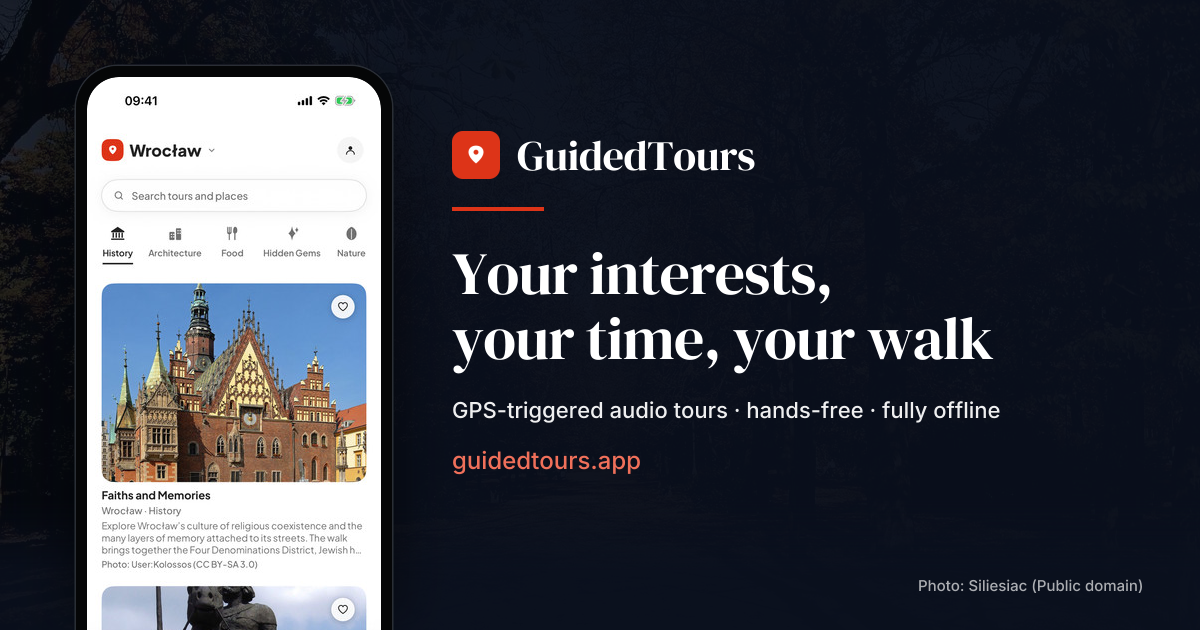
Self-guided audio tours are a great way to learn about a destination without needing mobile data. The key is to download the tours before you travel. Some apps require an internet connection to stream audio, but others store the files on your device. For example, Guided Tours is an iOS app that allows you to download walking tours tailored to your interests and pace. Once downloaded, the audio plays offline. You can pause, rewind, or skip sections without worrying about buffering. This gives you freedom to explore at your own speed. Make sure to test the app at home before your trip to confirm it works offline.
Staying Safe Without a Data Connection
Safety is a concern when you travel without mobile data. You cannot call for help using internet-based apps. But you can still prepare. Save emergency numbers in your phone's contact list, not just in an app. Write down the address of your accommodation and the local emergency number. Share your itinerary with someone at home. Carry a physical map and a small power bank to keep your phone charged. Remember that offline maps and audio tours do not require data, so they will work if you need to find a hospital or a police station. Having a backup plan, like a printed map or a phrasebook, adds an extra layer of security.
Making the Most of Disconnected Time
One benefit of traveling without mobile data is that you become more present. Without the urge to check social media or reply to messages, you can engage more deeply with your surroundings. You might notice details you would otherwise miss: the texture of a building, the sound of a market, the smell of street food. This kind of travel can be more memorable. Use your offline audio tours to learn about history and culture. Pause the audio to take photos or write notes. Without constant notifications, your mind has space to absorb the experience.

Choosing the Right Tools
Not all travel apps work offline. Before you travel, check each app's settings. Look for a "download" or "offline mode" option. Some apps let you download entire cities' worth of content. Others only offer streaming. For audio tours, choose an app that stores the audio files locally. Apps that rely on a live internet connection will fail when you have no data. The best tools are those that give you control over what you download. You can prioritize the tours you will actually use. This also saves storage space on your phone.
Practical Tips for a Data-Free Trip
- Download all necessary content at home using Wi-Fi. This includes maps, audio tours, and entertainment.
- Turn off mobile data or use airplane mode to avoid accidental charges and save battery.
- Carry a printed backup of key information: your hotel address, emergency contacts, and a simple map.
- Bring a portable charger to keep your phone running for offline tools like audio tours.
- Let your phone's battery last longer by disabling background apps that try to connect to the internet.
These steps help you stay prepared without relying on a data connection. They also reduce stress because you know you have what you need already on your device.
What to Do If You Need Internet
Even if you plan to travel without mobile data, you might occasionally need a connection. In that case, look for free Wi-Fi in cafes, libraries, or hotels. You can also purchase a local SIM card with a small data plan for emergencies. But keep the data usage minimal. Use the connection only for essential tasks, like checking in with family or updating a reservation. For everything else, stick with offline tools. This balance lets you enjoy the benefits of disconnection while still having a safety net.
Conclusion
Traveling without mobile data is not about going offline completely. It is about being intentional with your technology. By downloading maps, audio tours, and entertainment before you leave, you can explore freely without worrying about signals or costs. Tools like Guided Tours make it easy to learn about a city without needing a live connection. The result is a richer, more focused travel experience. You see more, remember more, and feel more connected to the place you are visiting.
Guided Tours on social media
 Twitter
 Facebook
 Instagram
 YouTube